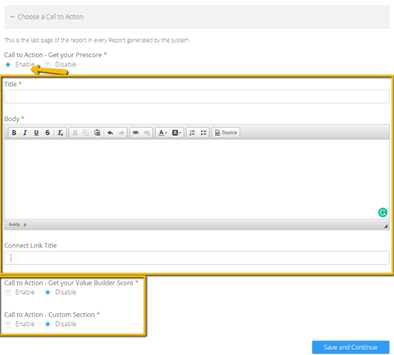
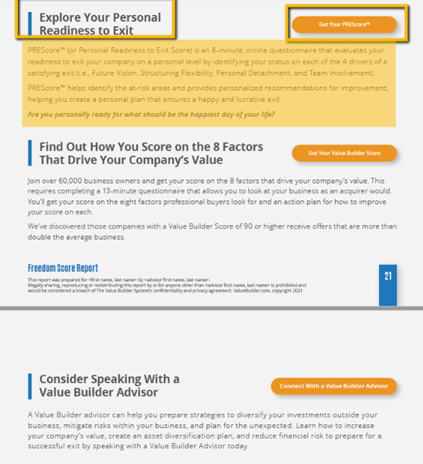
Just as you can personalize your Value Builder Score report, you can personalize your Freedom Score report to include your Bio Photo, Bio, Cover Letter, and your selected Call's to Action.
- By default, the bio photo used in the Value Builder Score report will be pulled into the Freedom Score Report.
- You can Re-Use your bio from the Value Builder Score report or choose to customize it specific to Freedom Score.
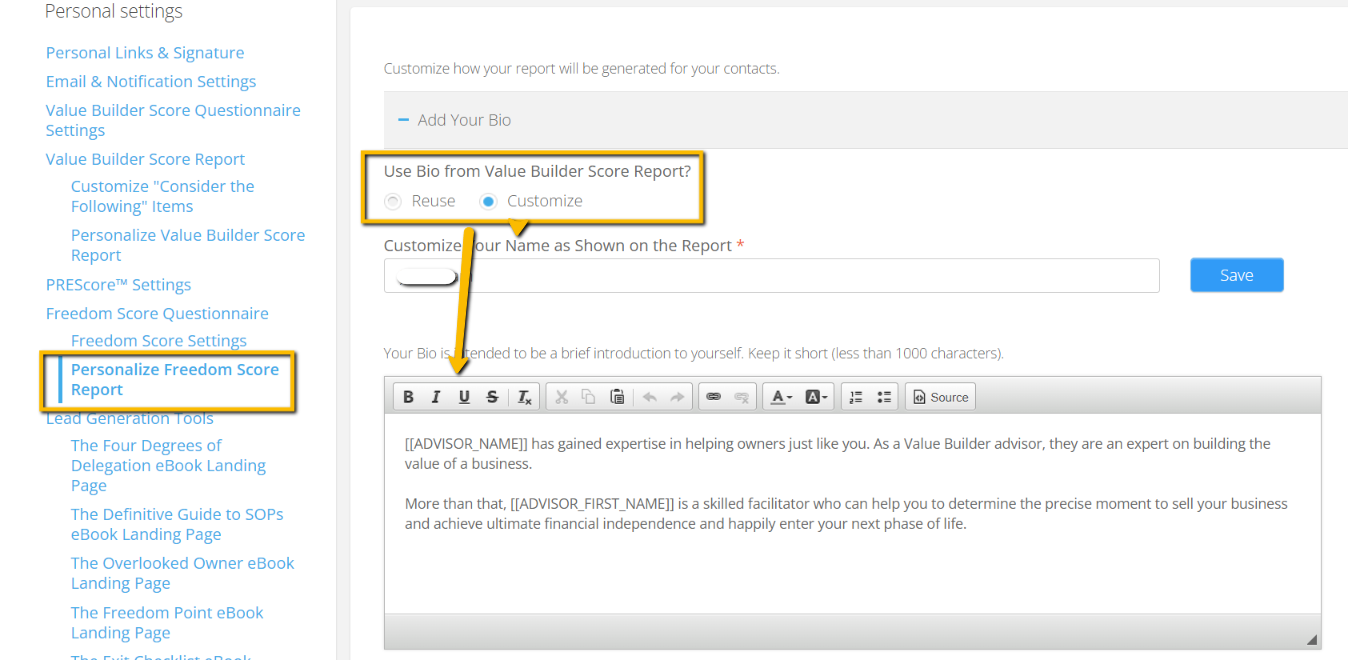
- Customize the Cover Letter which will appear on page 2 of the Report. This will be used in all Freedom Score Reports and is your chance to provide some context on how you as an advisor can help them as a business owner to work towards achieving financial freedom. Note: ensure you do not remove anything within the [ ] as this is hardcoded.
- Choose the Call to Action(s) you would like to appear at the end of the Freedom Score Report. You have 3 CTA options: Get PREScore™, Get Value Builder Score, or a completely customizable one where an owner can connect with their advisor. You can choose to enable one, two or all three CTA's. ALL options are customizable including the title, body text and CTA button title which appears and will link to either your personal Value Builder Score or PREScore™ link or the indicated connect URL.