To customize the "Consider the Following" items located at the end of each driver section of The Value Builder Score Report you have two options:
Customize for All Reports
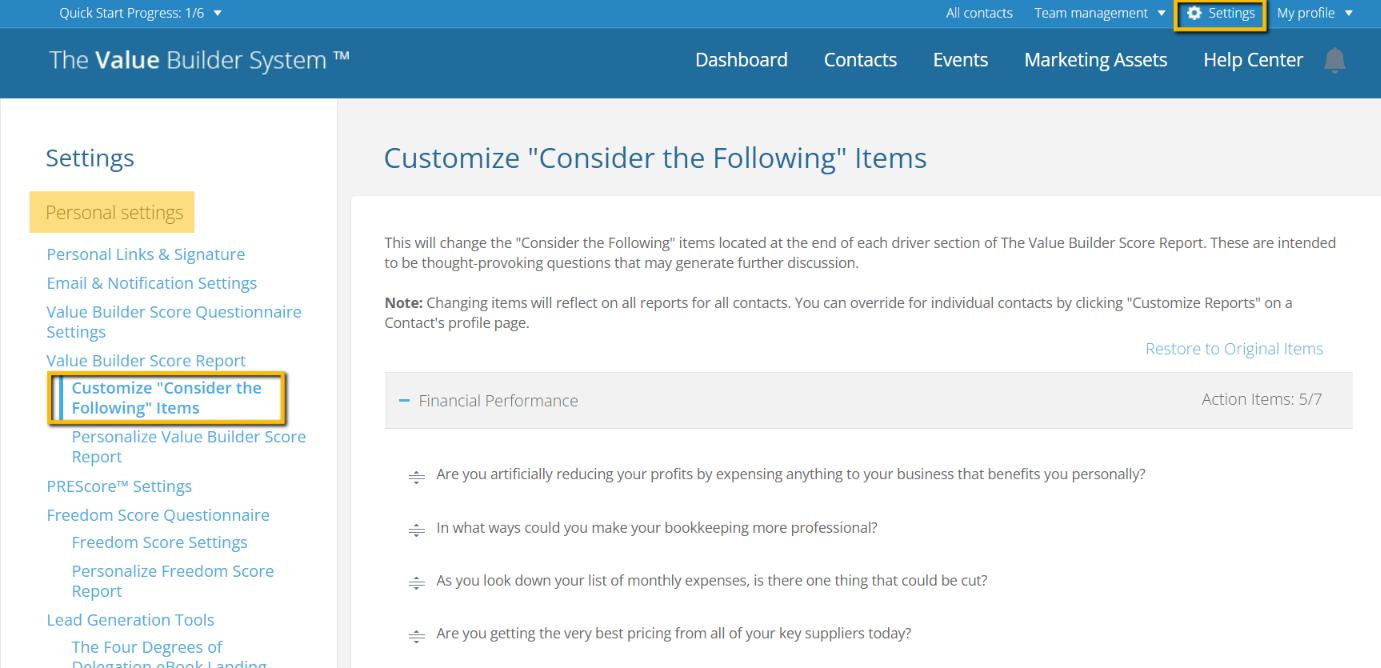
You can customize the "Consider the Following" items which appear at the end of each Driver within the Value Builder Score Report under Settings > Personal Settings > Customize "Consider the Following" Items in the advisor portal. Changing items will reflect on all reports for all contacts. You can override for individual contacts by clicking "Customize Reports" on a Contact's profile page.
Customize for individual Contacts follow the steps below:
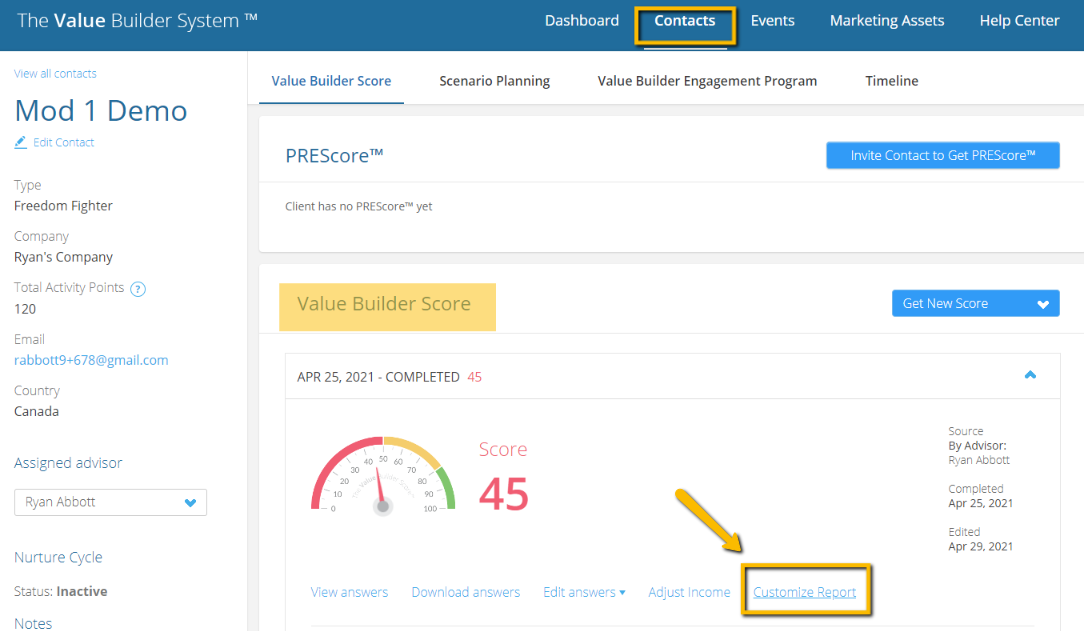
- Click on the name of the contact you would like to customize the report for from the Contacts menu.
- Under the Value Builder Score tab click on Customize Report.
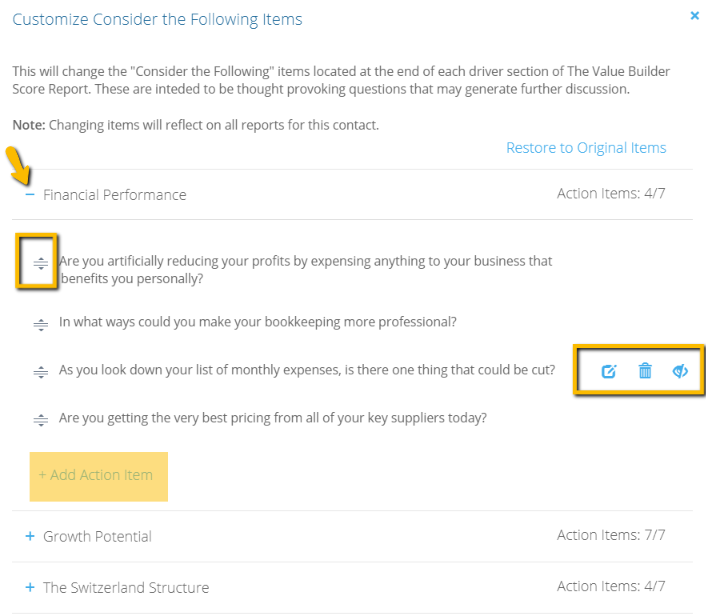
- Expand the Driver you would like to customize the "Consider the Following" items for.
- You can reorder, edit, or delete any of the listed items. You can also add a new custom Action Item to the list to appear in the Drivers "Consider the Following" list. Note: Changing items will reflect on all reports for the contact.
These are intended to be thought-provoking questions that may generate further discussion with the business owner when reviewing the report.